Updating a Docker installation
This section outlines the steps to update your SmartScope installation with Podman/Docker
Warning
The database is no backwards compatible between versions. Please back up the database before updating to have a fallback.
-
Backup database
./smartscope.sh run backup_db -
Stop smartscope
./smartscope.sh stop -
Download the new
smartscope.sh.wget https://raw.githubusercontent.com/smartscope-org/SmartScope/stable/Docker/SmartScope/smartscope.sh -
mv smartscope.sh.1 smartscope.sh -
chmod +x smartscope.sh -
Create the new
scratchdirmkdir scratchNote. This doesn't have to be created if the scratch dir is to be customized. This will create its default location -
Download the new
docker-compose.yml./smartscope.sh update stableNote. No need to back up the db since it's already done. Also no need to restart the application yet. -
Edit your
smartscope.ymlto add the following two services to the file:smartscope_ai: user: ${UID}:${GID} smartscope_worker: extends: service: smartscope -
Restart smartscope
./smartscope.sh start
There are 2 new containers started to handle the workflow:
smartscope_ai: All the AI algorithms were moved there. There is a GPU version also but CPU works quite well for now.smartscope_worker: Copy of the smartscope container which runs a process which handles long commands asynchronously such as regrouping the holes on all square or square image processing.
Note
Since the github repository changed from the NIEHS organization to smartscope.org, the smartscope.sh script needs to be updated.
-
Re-download the new version of the
smartscope.shscriptwget https://raw.githubusercontent.com/smartscope-org/SmartScope/latest/Docker/SmartScope/smartscope.sh chmod +x smartscope.sh -
Run the update command as normal.
#Choose with version you want to update to: latest or stable #Replace VERSION with your choice ./smartscope.sh update latest -
Restart SmartScope
./smartscope.sh restart
Note
If you initially installed a version older than 0.9.2, first download the new smartscope.sh script as described here
-
Run the smartscope update command.
#Choose with version you want to update to: latest or stable #Replace VERSION with your choice ./smartscope.sh update VERSION -
Restart SmartScope
./smartscope.sh restart
-
(Optional) Back up your database
Warning
This step is to protect your data in case the update fails.
## REPLACE YYYYMMDD by the current date ## sudo podman exec smartscope-db /bin/bash -c 'mysqldump --user=$MYSQL_USER --password=$MYSQL_ROOT_PASSWORD $MYSQL_DATABASE > /var/lib/mysql/YYYYMMDD_dump.sql' -
Stop SmartScope
cd /to/Smartscope/directory/ ./smartscope.sh stop -
Change version in
smartscope.ymlTo update your docker installation open the
smartscope.ymlfileEdit the image line to a new version available in GitHub container repositoryvim smartscope.ymlversion: "3" services: smartscope: image: ghcr.io/niehs/smartscope:CHANGE_VERSION_NUMBER user: ${UID}:${GID} volumes: ... -
Restart smartscope
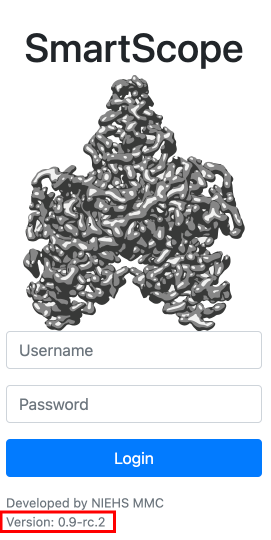
./smartscope.sh startThe login screen should show the new version number